Digital guest manual features
Everything a short-term rental guest needs, on their phone: check-in, Wi-Fi, door codes behind an access code, 44 languages, search, a checkout checklist and extras to buy. Guests install nothing, and it is free for hosts.
What the StayPerk guest manual does
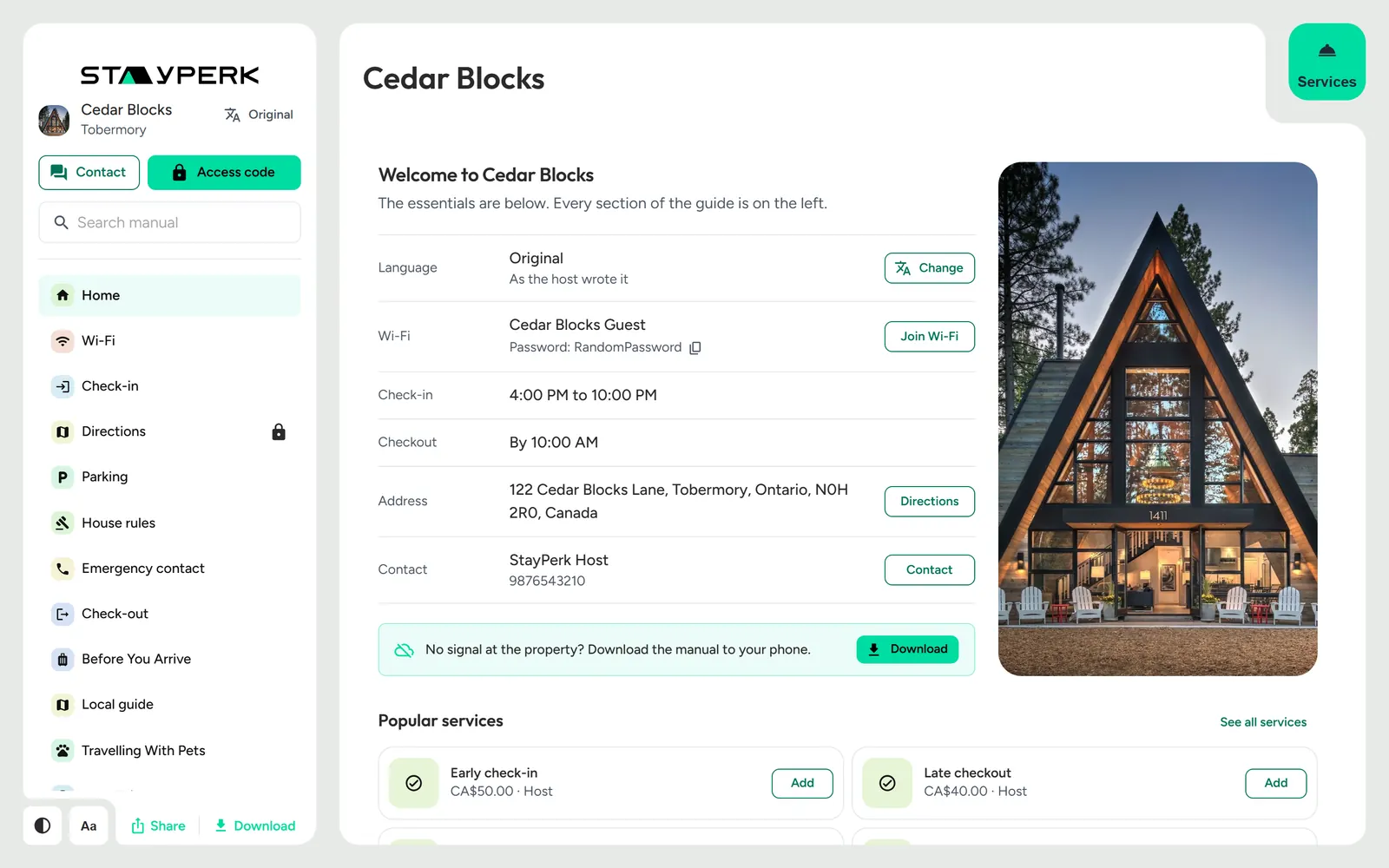
StayPerk's digital guest manual is a mobile web page for one rental property. Guests open it from a link or QR code and find check-in, Wi-Fi, house rules, directions, rooms, videos and the local guide. Private details stay hidden until they enter the host's access code. They can read it in 44 languages, search it, message the host, tick off checkout, download it for places without signal, and buy extras such as early check-in. Hosts build it free, update it in one place, and print the same content as a Welcome Book and QR signs.
Home at a glance
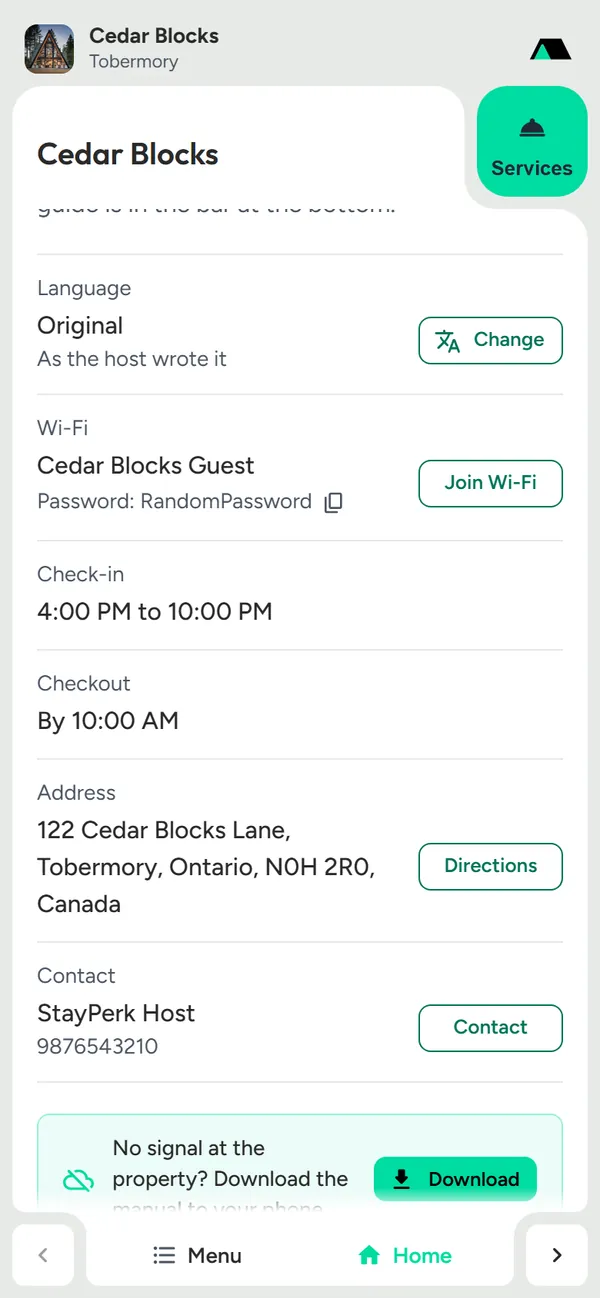
Language, Wi-Fi, check-in, checkout, address, contact
Wi-Fi
Password, Join Wi-Fi, scan-to-join QR
Check-in
Arrival window, ways in, early check-in
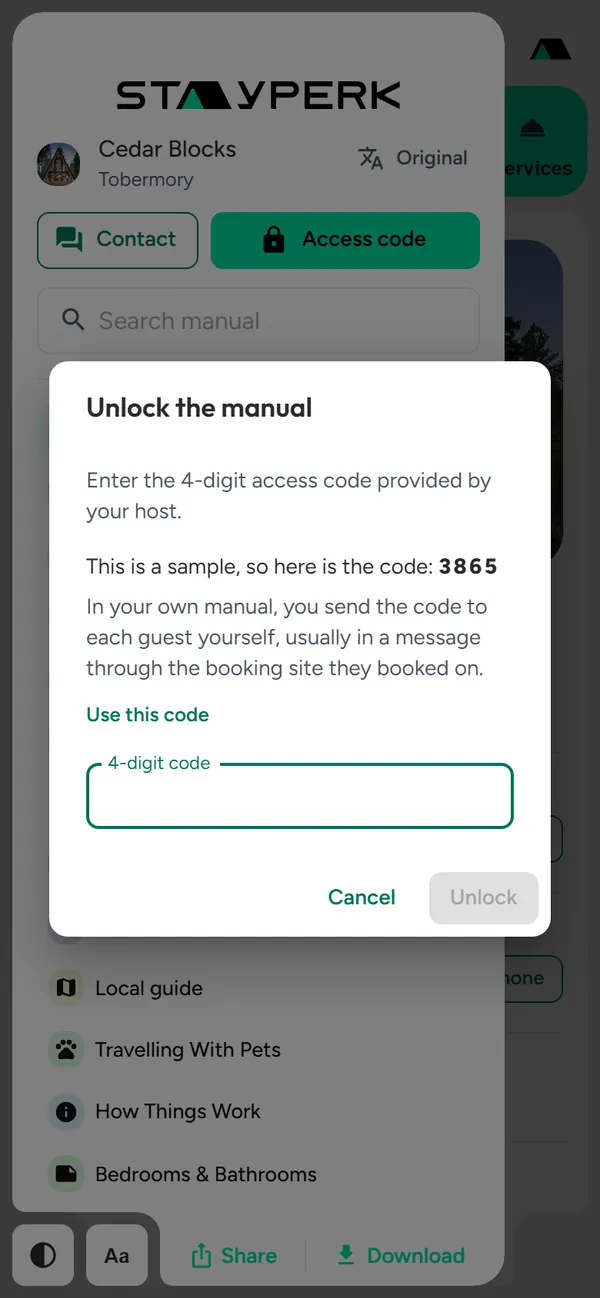
Access code
Private details stay on the server until the code
44 languages
Picker, home row, one-tap suggestion
Search
Matching text, jump and highlight
Text size and theme
Larger text and light or dark
Contact sheet
Call, text, WhatsApp, email, message
Download and offline
A PDF for no-signal properties
Share
The phone's share sheet
Checkout checklist
Tick boxes, then a private star-rated note
Add-ons and services
Card checkout, Purchased, Find my orders
Purchased and receipts
Orders remembered, dates sold once
Sections
Rooms, rules, parking, amenities and more
Videos
Full-screen clips you swipe through
Guest visits
Daily totals, no tracking of individuals
Welcome Book and QR signs
Print the same content
Free, no app
Any phone, any browser
Arrival, answered before they ask
The first screen holds what guests look for on the doorstep, and private details open only with your code.
Home at a glance
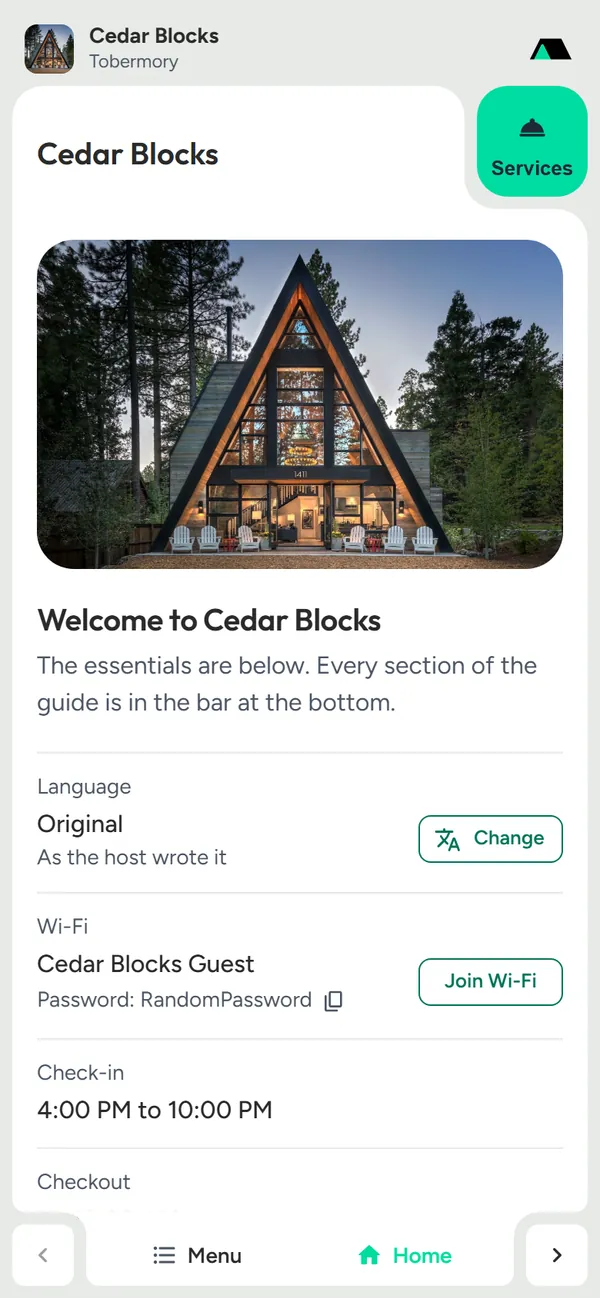
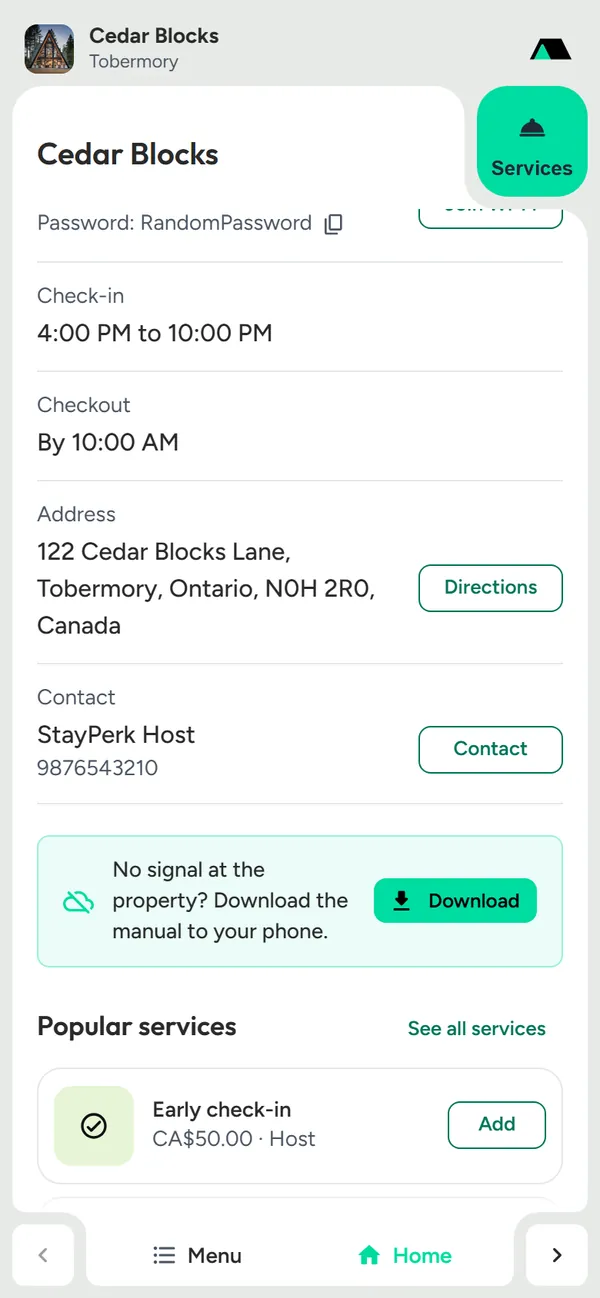
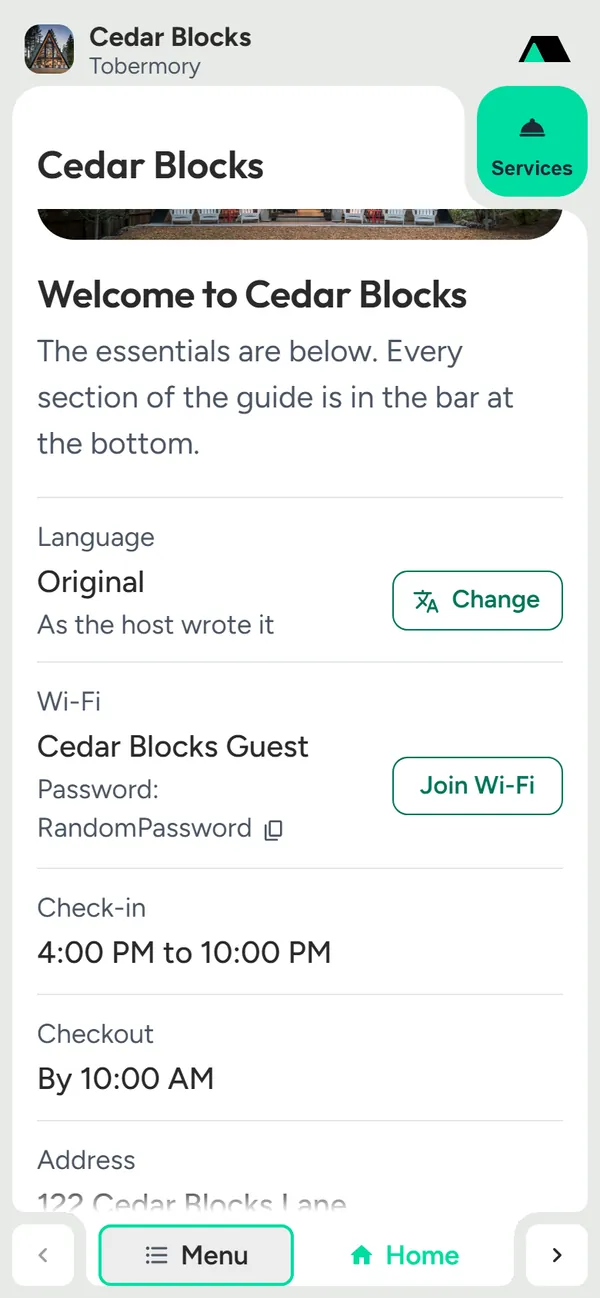
The home screen opens with the property photo and one tidy list of the answers guests need most, each with a matching button, so nobody digs through sections on arrival.
- Language, Wi-Fi, the check-in window and checkout time in one list
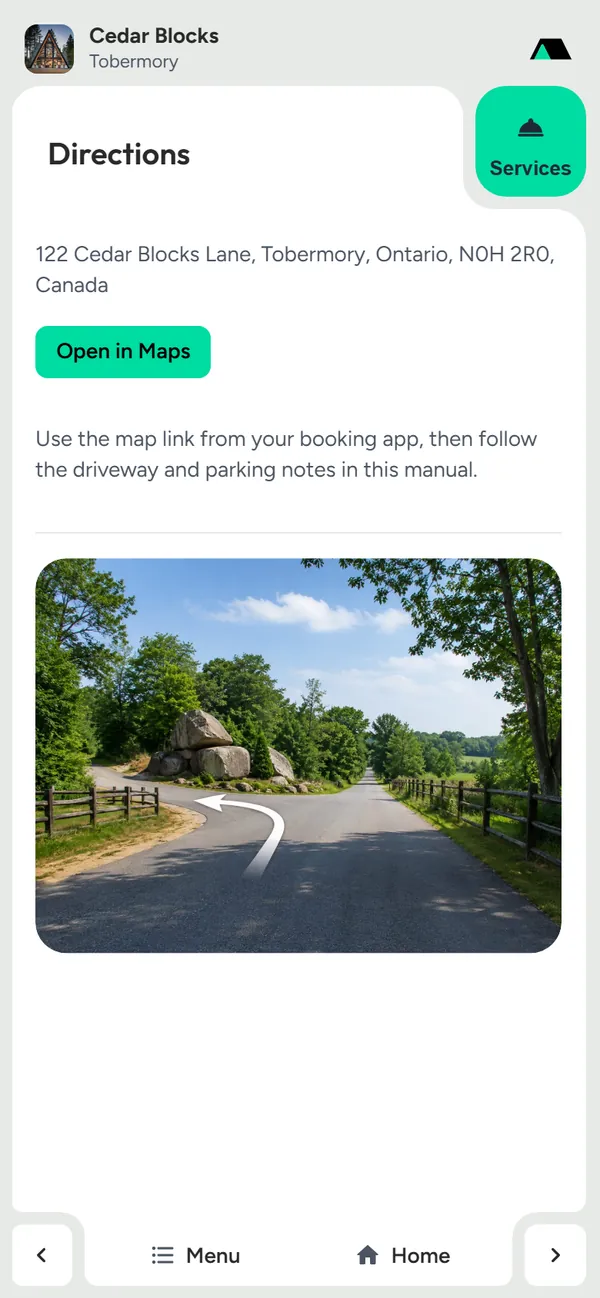
- The address with Directions, and Contact with one tap
- Popular services right below, with Add buttons
- "No signal at the property?" offers the download before it is needed
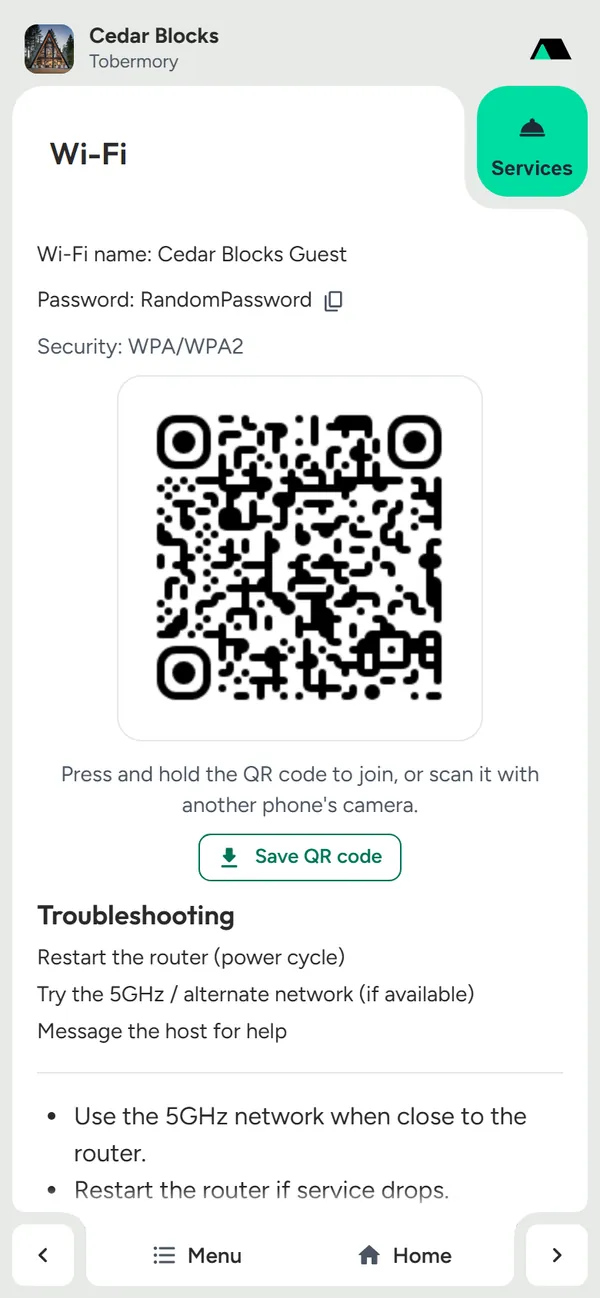
Wi-Fi without typing
The network and password sit on the home screen, with a Join Wi-Fi button that opens the Wi-Fi QR code. Guests press and hold the code to join, scan it with another phone's camera, or save the code to their photos for later. A copy icon beside the password covers laptops.
- Network name and password at a glance on home
- Press and hold the QR code to join, or scan it with another phone
- Save QR code keeps it in Photos or Gallery, to join later
- A copy icon right beside the password
- Troubleshooting steps you write, for when the router acts up
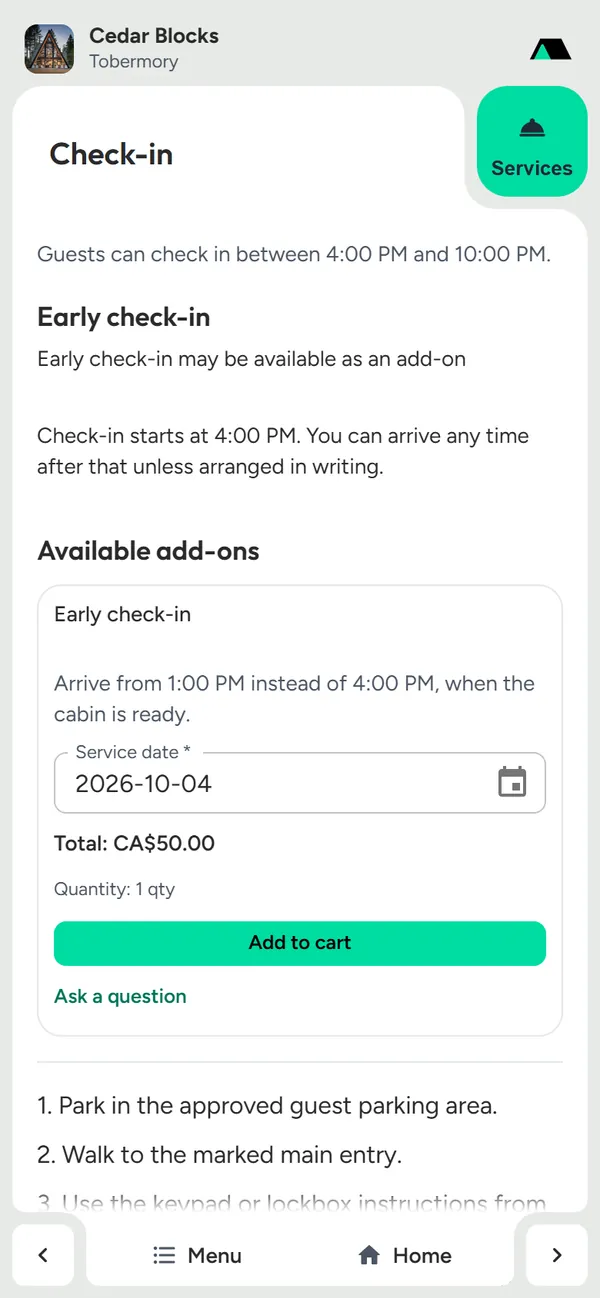
Check-in, step by step
Guests see the arrival window, how to get in and the steps to follow. Lockbox and keypad details stay private until the code, and early check-in can be bought right there.
- Arrival time or window, in the guest's own words and language
- Ways in such as a lockbox or keypad, private until the access code
- Early check-in sold as a paid add-on with a date picker
- A question to the host from the same page
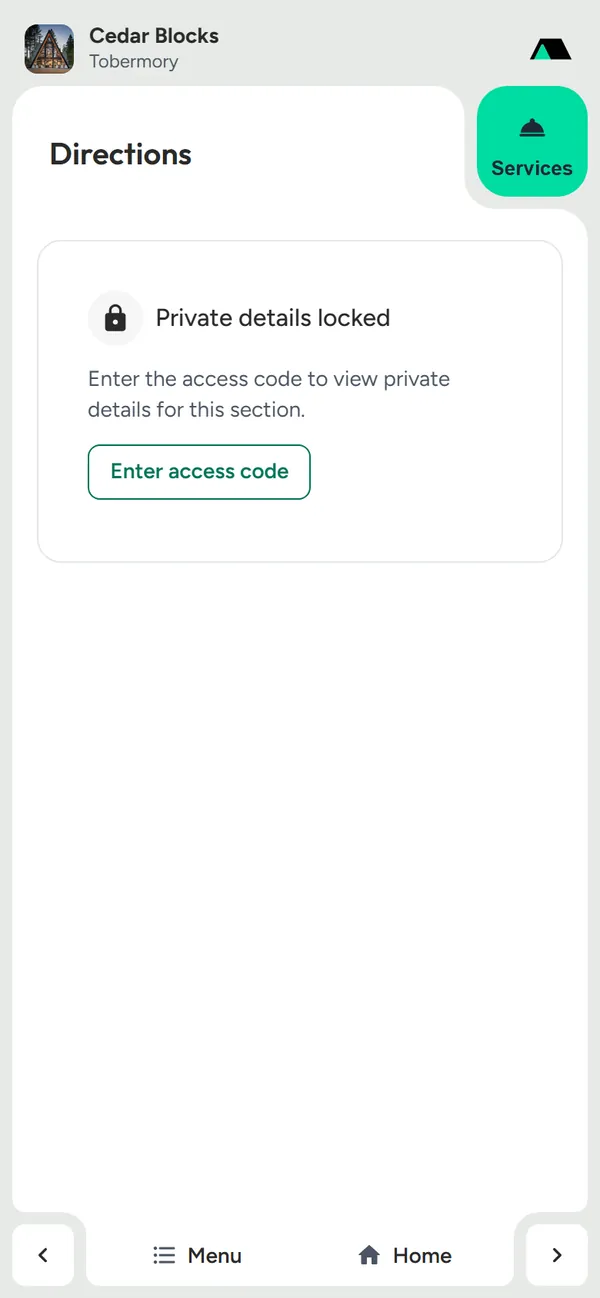
Private until the guest has your code
Door codes, lockbox details, a private Wi-Fi password or your phone number stay hidden until the guest enters your access code. Locked sections never reach the browser before that, so they cannot be found in the page's code either.
- Set each section public or private
- Public information is open to anyone with the link
- Locked sections show a lock and an Enter access code button
- The server sends private details only after the right code
Answers in any language, at any size
Guests find the line they need, read it in their language and make it big enough to read without glasses.
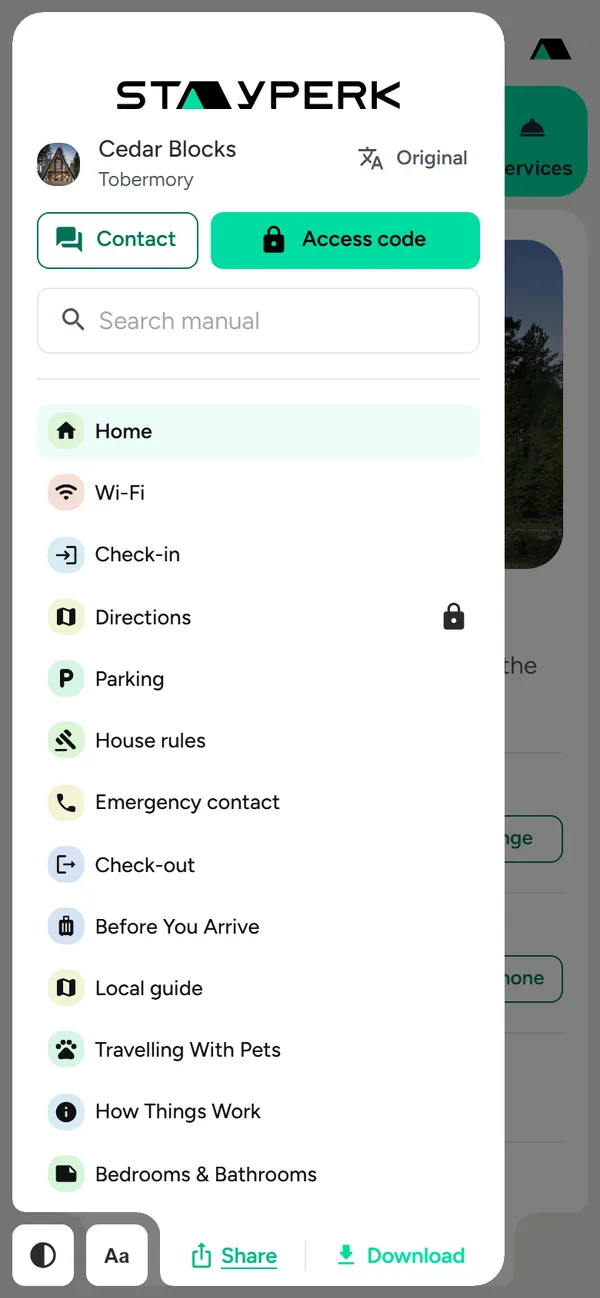
Read the manual in 44 languages
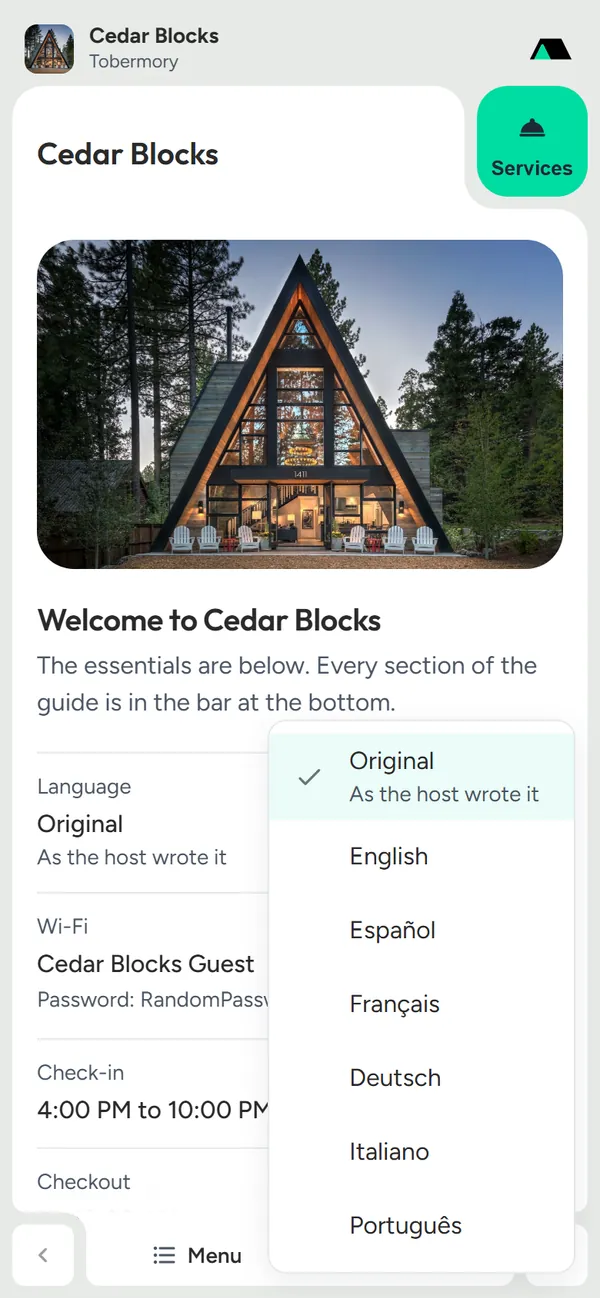
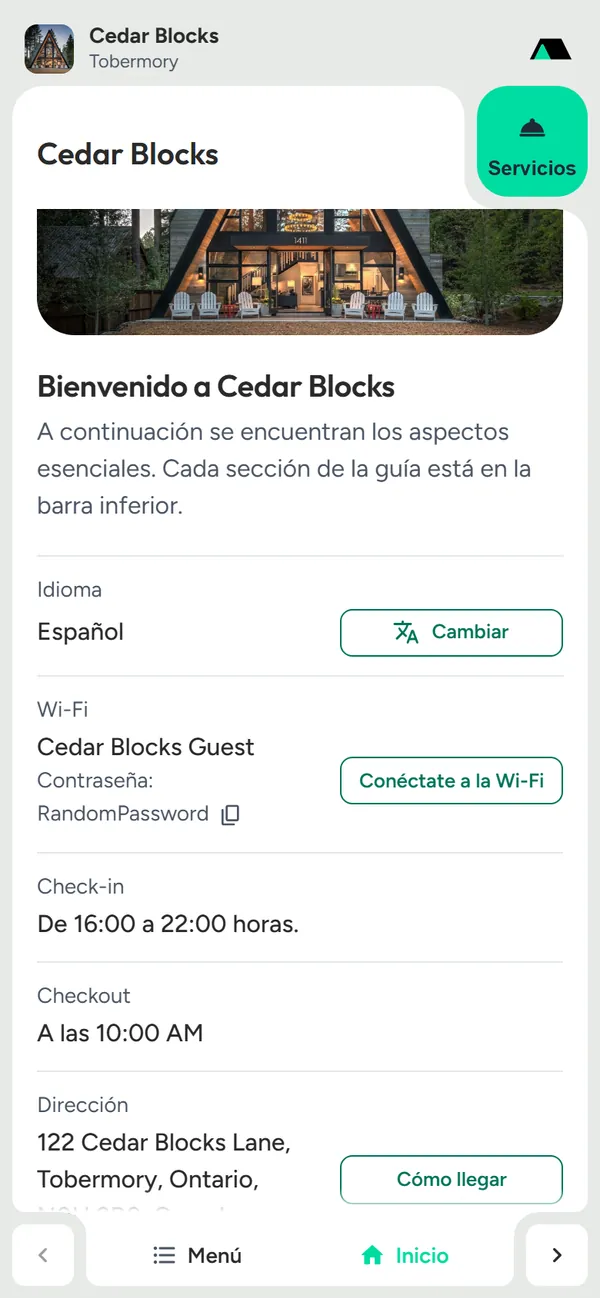
A Language picker sits beside the property name, and home starts with a Language row and a Change button. When the guest's phone uses another language, home offers it in one tap. The whole page is translated, while Wi-Fi names and passwords, addresses, phone numbers, emails and the property name stay exactly as you wrote them.
- 44 languages, each listed in its own language
- A one-tap suggestion in the phone's language
- Wi-Fi details, addresses, phone numbers and emails never change
- The choice is remembered on the guest's phone
- On every published manual, with a free account
Search the whole manual
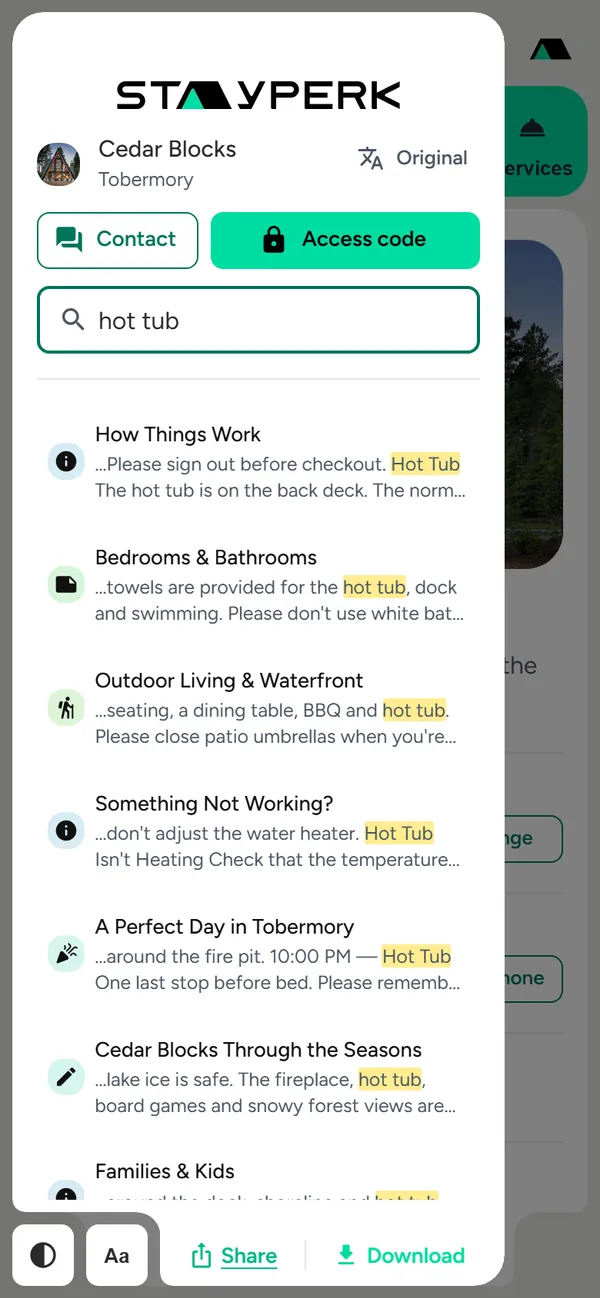
Guests type a word and see each section that mentions it, with the matching line. Tapping a result opens the section, scrolls to the words and highlights them.
- Searches every section, not just the titles
- Each result shows the matching text
- Tap to jump straight to the highlighted words
- Private sections join the results once unlocked
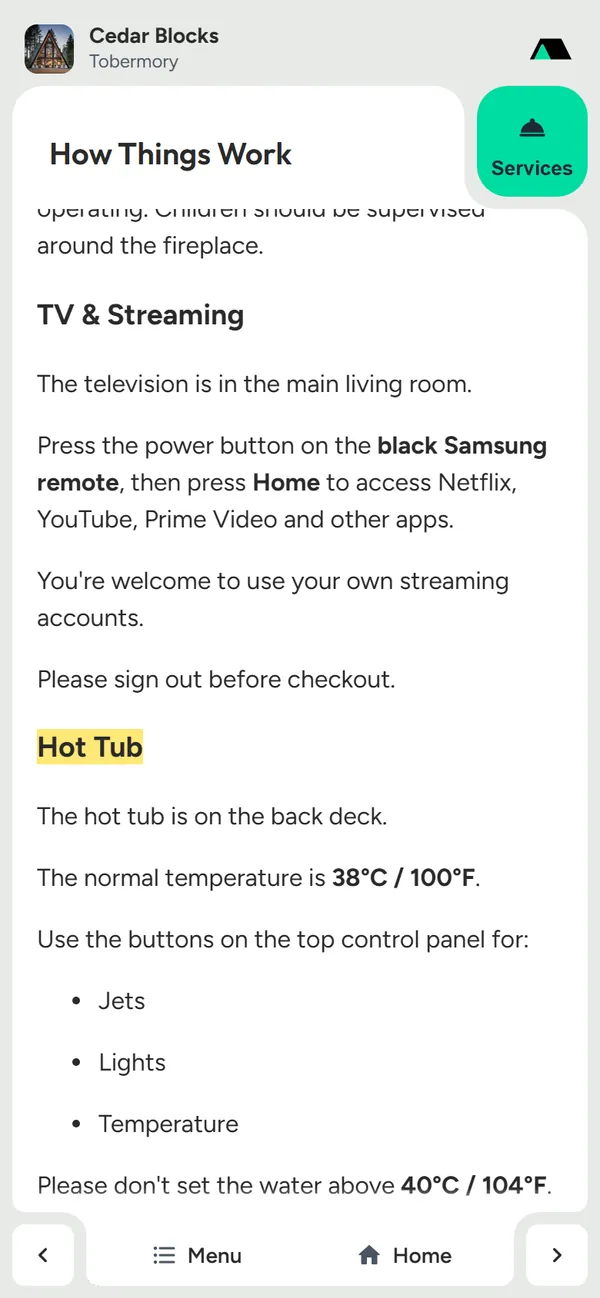
Larger text, and light or dark
An Aa button steps the text up to Large and Larger, and the theme button switches between light, dark and the phone's own setting. Both are remembered on the device.
- Normal, Large and Larger text, with no sideways scrolling
- Light, dark or the phone's setting
- Remembered the next time the guest opens the manual
Easy to reach, easy to keep
One sheet for every way to reach you, a download for places with no signal, and sharing for the whole group.
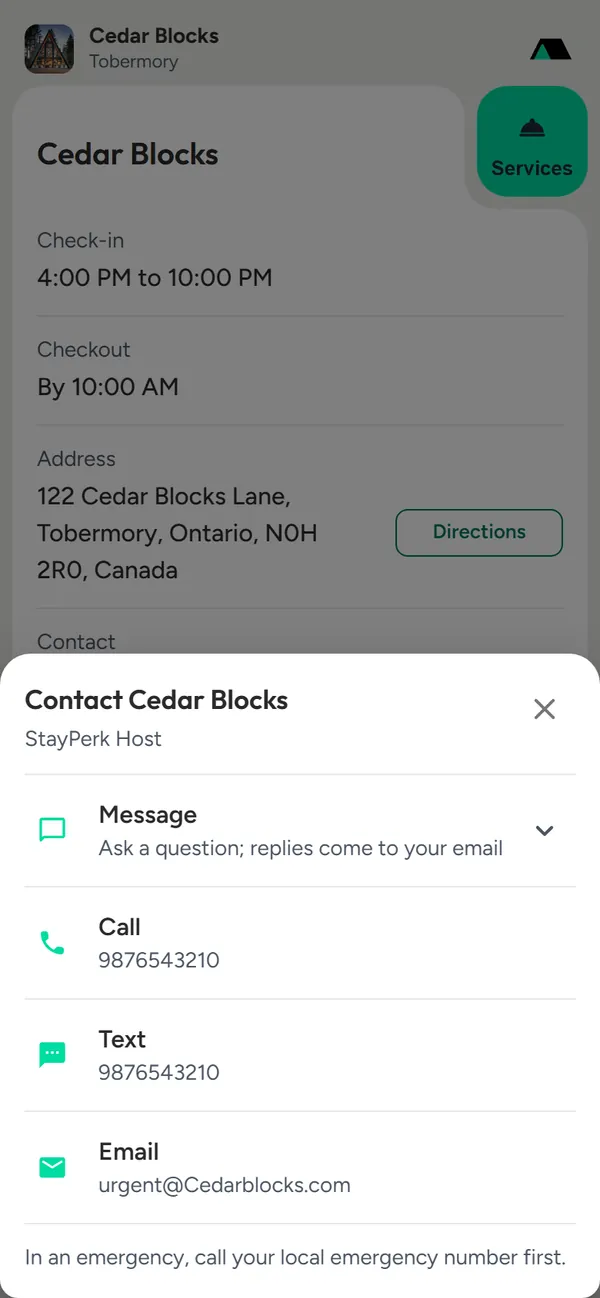
One Contact sheet
Contact opens every way to reach you: a message from the manual, call, text, WhatsApp and email, with your available hours. Guests need no app or account to send a message, and replies reach them by email.
- Message the host straight from the manual
- Call, text, WhatsApp and email in one sheet
- Your available hours, and a reminder to call emergency services first
- Messages arrive in your StayPerk inbox
Download for places with no signal
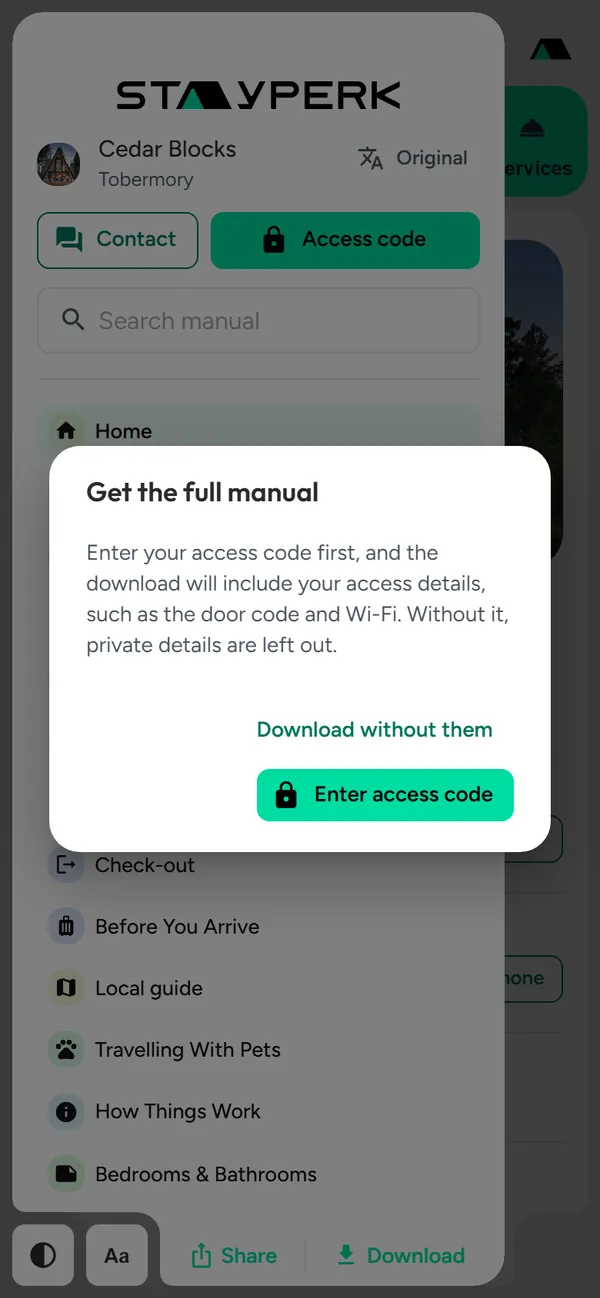
Guests save the manual as a PDF before they lose signal. If they download before entering the code, the manual asks for it first, so the PDF includes the door code and Wi-Fi.
- "No signal at the property?" on home and check-in
- Asks for the access code first, so private details are included
- Or downloads the public version without them
Checkout that ends well
A checklist guests can tick off, then a private note to you before they write a public review.
A checkout checklist, then a private note
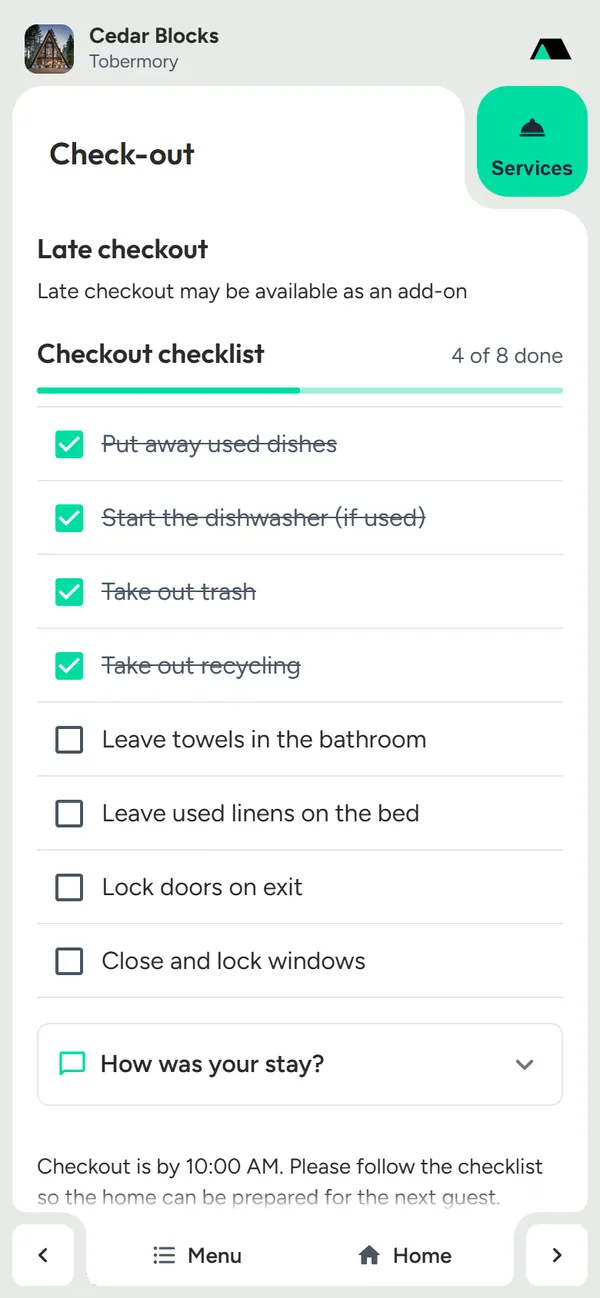
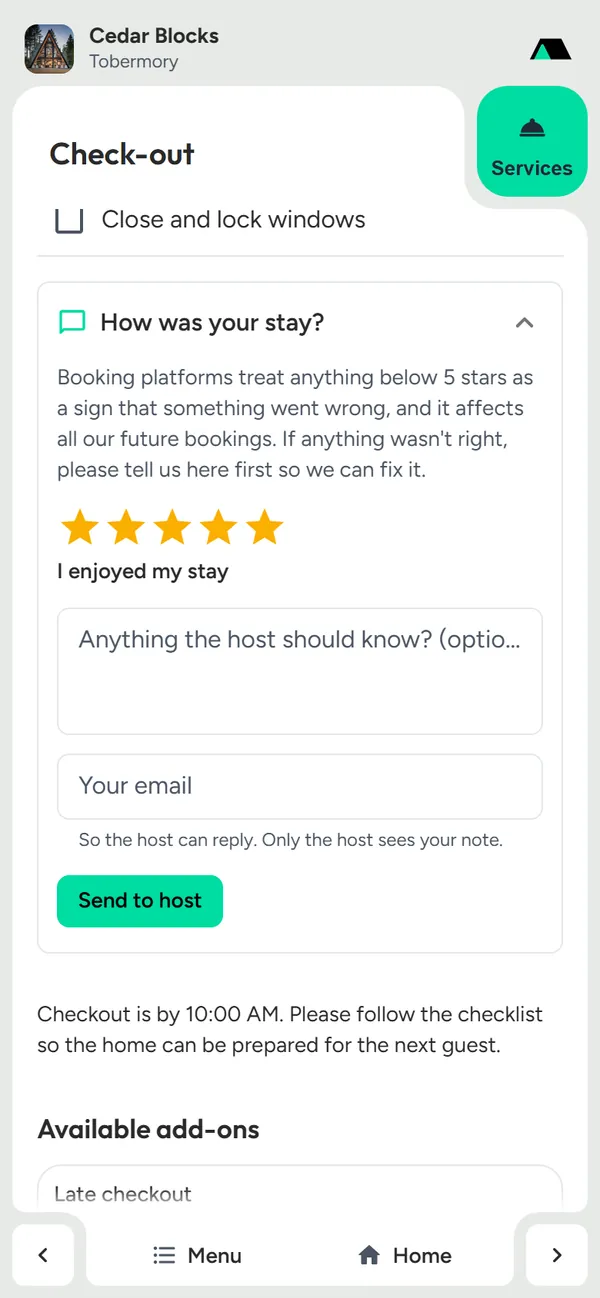
Your checklist becomes tick boxes with a progress bar, saved on the guest's phone. Below it, "How was your stay?" asks for a star rating and a note that only you see. The wording asks guests to tell you first, so problems get fixed before a public review.
- Tick boxes with "4 of 8 done" and a progress bar
- Ticks saved on the guest's phone for a week
- A 1 to 5 star rating, each star explained in plain words
- The note arrives privately in your inbox, with which checklist items were done
- Your average guest rating on your properties list, or switch the question off
Extras guests can buy
Sell your own add-ons and show local services in the same manual, with secure card checkout.
Add-ons and services
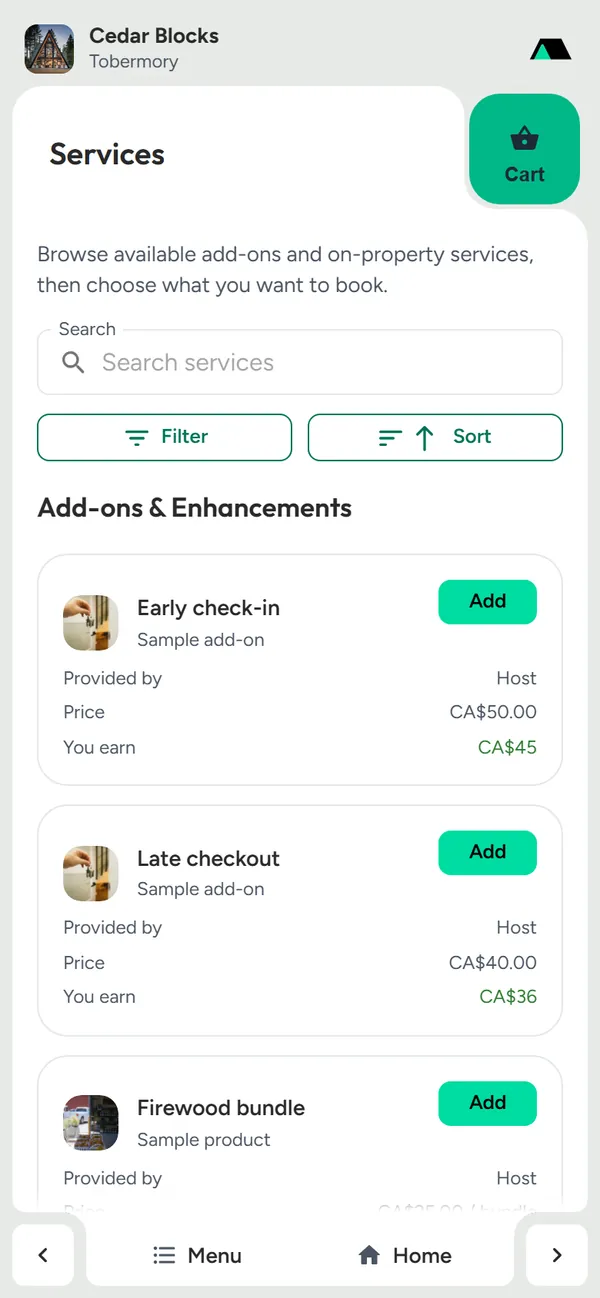
Guests buy extras such as early check-in, late checkout, firewood or a pet fee with secure card checkout, and book on-property services from local providers. You earn from every add-on.
- Your own add-ons, with prices and dates
- Bookable services from local providers
- Secure card checkout, with no account for guests
- Hosts earn from add-ons
Purchases stay with the guest
Next time the guest opens the manual, what they bought shows as Purchased with a receipt. Find my orders brings them to another phone with a code sent by email. Early check-in and late checkout sell once per date, so two guests never buy the same day.
- Purchased, with the date and a receipt
- Find my orders on another phone, by an emailed code
- Early check-in and late checkout sold once per date
- A refund frees the date again
Every part of the stay
Rooms, rules, parking, directions, amenities, the local guide, videos and sections of your own.
Every section a stay needs
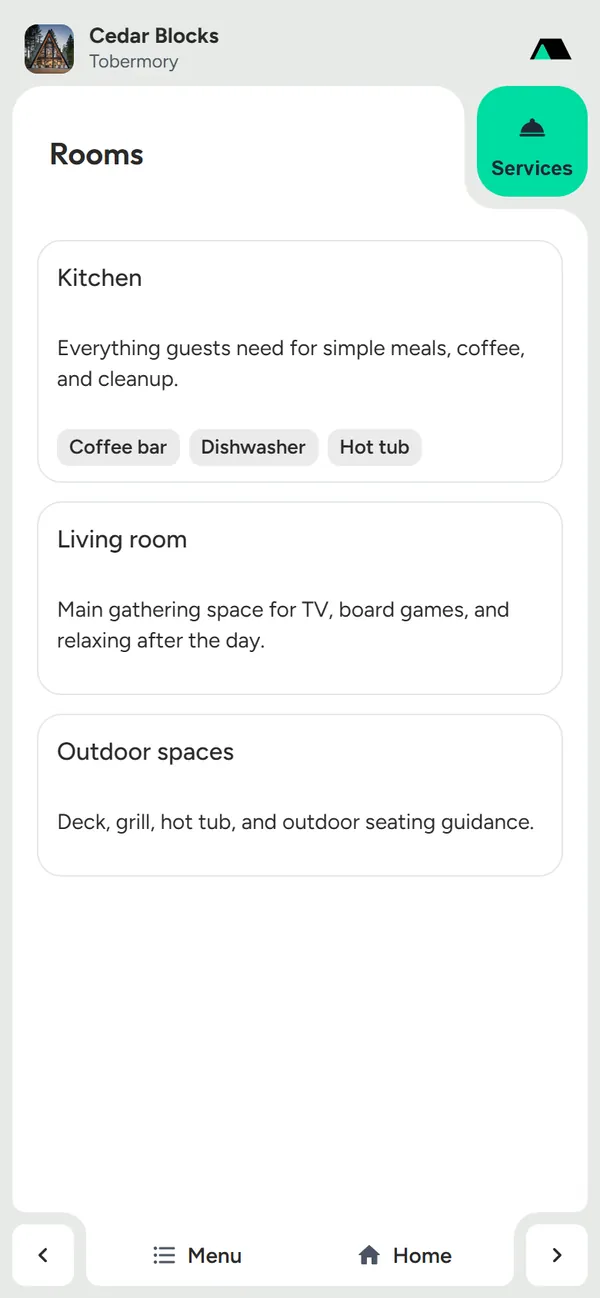
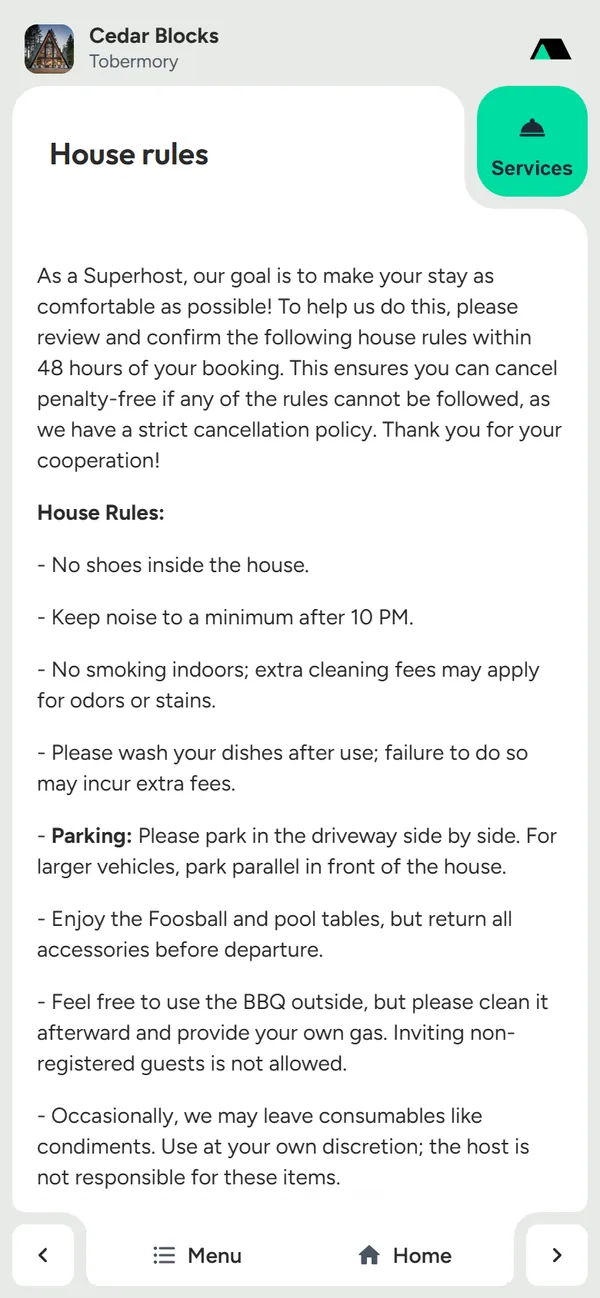
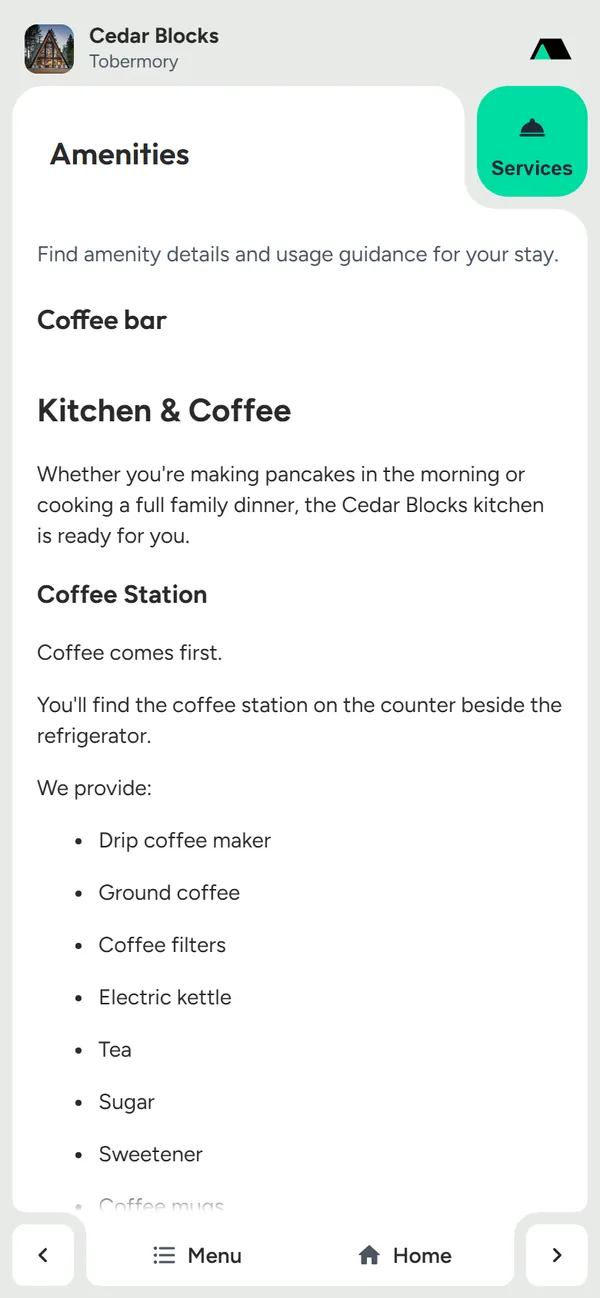
Start from ready sections and add your own, with photos and YouTube videos. Each room has its own notes and rules, and amenities have their own page.
- Rooms with room-by-room notes and rules
- House rules, parking, directions and emergency contact
- Amenities, the local guide and custom sections
- Photos and YouTube videos inside any section
Show it once, in a video
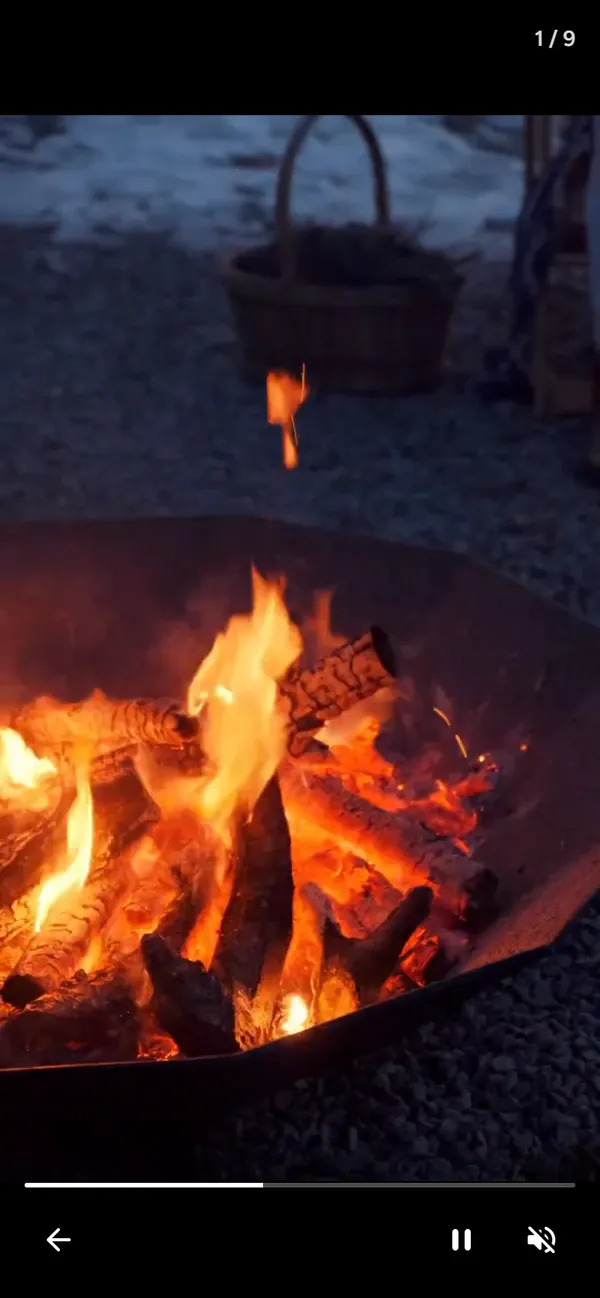
Short clips play full screen, uncropped, one swipe at a time, with a caption, a progress bar and pause. Upload from your phone; videos are compressed for fast loading.
- Full-screen, swipe to the next clip
- Captions, progress, pause and sound
- Behind the access code when you choose
For hosts
Build it free, see that guests use it, and print the same content.
See that guests read it
Manuals shows how many guest visits each manual had and which sections guests open most, as daily totals. No IP addresses, cookies or visitor ids are kept, and your own visits are not counted.
- Visits in the last 7 and 30 days, and all time
- The sections guests open most
- Daily totals only, never individuals
Guest activity
Cedar Blocks
32
Last 7 days
115
Last 30 days
Most opened
Print a Welcome Book and QR signs
The same content prints as a Welcome Book PDF in 16 designs, plus QR signs to put around the home that open the manual.
- A printed Welcome Book from the same content
- QR signs that open the manual
- Update once; the next print follows
Free, and nothing to install
Guests open the manual in their phone's browser from a link or QR code, on any phone. Building and publishing it is free; StayPerk earns only a small fee when guests pay for extras.
- No app or account for guests
- Works on any phone or computer
- Free to build, publish and print
Frequently asked questions
Answers about StayPerk's digital guest manual for short-term rentals.
What is a digital guest manual?
A digital guest manual is a mobile web page for one rental property with everything guests need during the stay: check-in, Wi-Fi, house rules, directions, rooms, videos, local tips and extras they can buy. Guests open it from a link or QR code instead of a printed binder or PDF.
What features does the StayPerk guest manual have?
Home at a glance, Wi-Fi with a scan-to-join QR code, check-in and checkout sections, private details behind an access code, 44 languages, search that jumps to the answer, larger text and a dark theme, one Contact sheet with messaging, a PDF download for places without signal, sharing, a checkout checklist with a private note to the host, add-ons and services with card checkout, videos, room-by-room notes, guest visit counts for hosts, and a printable Welcome Book with QR signs.
Do guests need to download an app?
No. Guests open the manual in their phone's browser from a link or QR code. They need no app and no account.
Can guests read the manual in their own language?
Yes. Published manuals can be read in 44 languages. Guests pick a language beside the property name or on the home screen, and phones set to another language get a one-tap suggestion. Wi-Fi names and passwords, addresses, phone numbers, emails and the property name stay exactly as written.
How do I keep the door code private?
Set the section private and give guests your access code. Private sections stay on StayPerk's server until the guest enters the code, so they never reach the browser before that. Public sections stay open to anyone with the link.
Does the manual work without internet at the property?
Guests can download the manual as a PDF before they arrive. If they download before entering the access code, the manual asks for the code first, so the PDF includes the private details such as the door code and Wi-Fi.
Can guests contact the host from the manual?
Yes. One Contact sheet lists a message form, call, text, WhatsApp and email, with the host's available hours. Messages and checkout notes arrive in the host's StayPerk inbox, and replies reach the guest by email.
Can guests buy early check-in or late checkout?
Yes. Hosts list add-ons such as early check-in, late checkout, firewood or a pet fee, and guests pay by card in the manual. Early check-in and late checkout sell once per date, and purchases show as Purchased with a receipt the next time the guest opens the manual.
Can I use StayPerk as an Airbnb guest manual or house manual?
Yes. Share the manual's link in your booking messages on any platform, or print its QR code. StayPerk is an independent product and is not affiliated with or endorsed by Airbnb or any other booking platform.
Do I need an account to start building a manual?
No. You can use the full editor, upload photos and videos, check the live Mobile and Letter previews, and save the private draft in this browser. When you want a permanent guest link, publish it: continuing creates a free workspace, and the manual stays private until you publish.
How much does the guest manual cost?
Building, publishing and printing the manual is free. When a guest pays for an add-on or service through StayPerk, a small fee comes out of the seller's share; the pricing page lists the fees.
Still have a question?
Write to us and a person will reply, or look it up in the Help Center.
Related solutions
QR code guest access
Printed codes that open the right manual or stay link.
Guest services and add-ons
Add-ons and local services guests can request from the manual.
Property services
Cleaning, repairs, restocking and inspections, tied to each property.
Build your guest manual for free
Start without an account, see it on a phone as you go, and publish one link for every guest.